Seeing this error pop up in our logs
2024-09-26T18:36:47.646Z
Weaviate Server Version: 1.26.4
Deployment Method: Weaviate Cloud
Multi Node? Number of Running Nodes: 1??
Client Language and Version: Python
Multitenancy?: No.
Code where the error is populated:
def find_nearest_neighbors(item, settings):
try:
    description = item["description"]
    item_id = item["id"] if "id" in item else item["item_id"]
    embedding = get_embedding(description)
    collection = vector_client.collections.get("items")

    if embedding is None:
        raise ValueError("No embedding found for item")

    results = collection.query.near_vector(
        near_vector=embedding,
        certainty=vector_similarity,
        filters=Filter.by_property("item_id").not_equal(item_id),
        return_metadata=wvc.query.MetadataQuery(certainty=True),
        limit=matching_vectors
    )

    items_dict_list = [item.properties for item in results.objects]
    return items_dict_list

except Exception as e:
    print(f"Error finding nearest neighbors: {e}")
    return []
hi @AdamHeard !!
Welcome to our community
Do you have any reading on resource usage?
How many of memory and cpu do you have available? How many objects have stored?
this error message indicates that the connection was closed from the server.
So I believe there may be requiring more resources.
If you have not fine tuned Weaviate for resource usage, check this documentation on how to do that:
Weaviate scales well for large projects. Smaller projects, less than 1M objects, do not require resource planning. For medium and large-scale projects, you should plan how to get the best performance from your resources. While you design you system,...
Thanks for the response @DudaNogueira .
Per resources on the Fargate Instance:
How much more resources do you feel it would require?
Hi!
This will vary according to the dimension length of your vectors.
Here we have an example for this calculation
Assuming your vectors has 1536 dimensions, this is the calculation you need to do, for storing 1 million objects:
2 * 1e6 * (1536 * 4)
As a rule of thumb, we always double the required memory (this is the 2x)
so you are looking to something around 12G of ram. This is not counting the maxconnections.
Let me know if this helps.
hi @dastankg !!
Welcome to our community!
Do you mind opening a new thread in the Support
The issue with the screen shot seems to be that there isn’t any objects indexed.
Please, also provide any outstanding logs messages on the new thread you create.
THanks!
VlaUg
November 10, 2025, 7:06pm
7
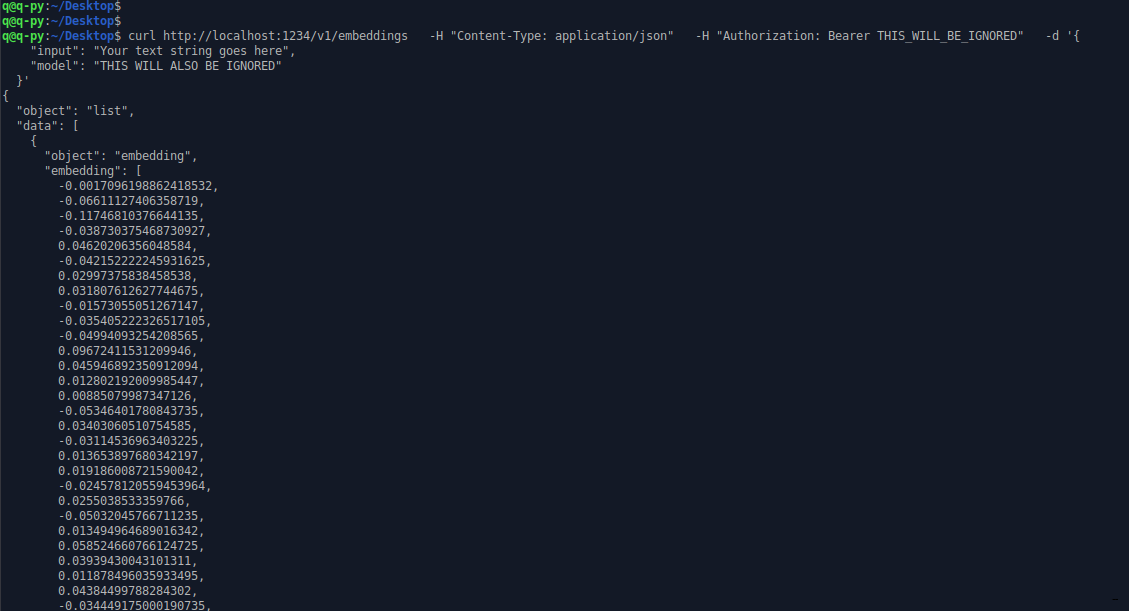
Have same
in LM Studio
But in console run - norm
Why u dont like LM STudio )))) ?
hi @VlaUg !
We do like all things AI, LM Studio included
Could it be that the vectorization is timing out? How long goes it took to generate those vectors?
If that’s the case, you may need to change MODULES_CLIENT_TIMEOUT env variable accordingly.
VlaUg
November 12, 2025, 1:40pm
9
DudaNogueira:
ors?
Very very very fast